
How to Create Instagram Shoppable Posts
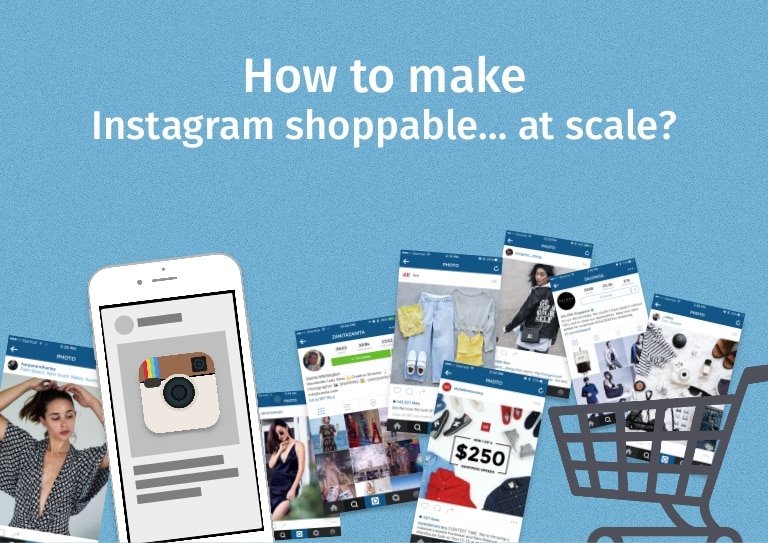
Instagram isn’t just a discovery platform anymore — it’s a fully-featured storefront. With Instagram Shoppable Posts now available across Feed, Reels, Stories, and Live, and Meta’s Checkout feature enabling in-app purchases in eligible markets, brands that set this up correctly are removing every friction point between a customer seeing a product and buying it. This guide walks through the complete 2026 setup process, every shoppable surface, and the proven tactics that drive conversions — not just clicks.
130M Instagram users tap on shopping posts every month (Meta)
70% of shoppers use Instagram to discover new products (Facebook IQ)
44% of Instagram users shop on the platform weekly (Meta Foresight)
4× UGC converts at 4× the rate of brand-created product content (BigCommerce)
What Instagram Shopping actually is in 2026
Instagram Shopping is an integrated e-commerce suite built into the platform that lets businesses tag products across every content format — feed posts, Reels, Stories, and Live broadcasts. When a user taps a product tag, they see the item’s name, price, and description, then tap through to purchase either on your website or, in markets where Instagram Checkout is enabled (currently US-only), directly within the app without ever leaving Instagram.
The full ecosystem includes an Instagram Shop tab on your profile (a browsable storefront), product collections (curated groupings), and a dedicated Shopping tab in Instagram’s Explore section — giving your products exposure beyond your existing followers. According to Facebook IQ research, 70% of shopping enthusiasts turn to Instagram for product discovery, making it one of the highest-intent commercial platforms available.
Eligibility requirements for Instagram Shopping
Before beginning setup, confirm you meet all five requirements. Missing any one of them is the most common reason accounts get rejected during the review process.
Business or Creator account
RequiredPersonal accounts cannot access Shopping features. Switch via Settings → Account → Switch to Professional Account. Both Business and Creator account types are eligible.
Physical products only
RequiredInstagram Shopping supports only physical goods — not services, subscriptions, or digital products. Your catalog must comply with Meta’s Commerce Policies.
Supported country
RequiredInstagram Shopping is available in 60+ markets. Instagram Checkout (in-app purchase) is currently US-only. Check the official eligibility list before setup.
Connected Facebook Page
RequiredYour Instagram account must be linked to a Facebook Business Page. This is what connects your account to Meta Commerce Manager and your product catalog.
Website with product pages
RequiredUnless you’re using Instagram Checkout, you need a live website where customers can complete purchases. Shopify, WooCommerce, BigCommerce, and Squarespace all integrate natively.
Account history and trust
Soft requirementNew accounts with no posting history or low follower counts are more likely to be rejected. Build at least 3–6 months of consistent posting before applying if your account is new.
How to set up Instagram Shopping: complete 7-step walkthrough
1 Set up Meta Commerce Manager
Go to business.facebook.com/commerce and create a Commerce Manager account. This is where your product catalog lives and where Instagram Shopping is managed. If you already use Facebook Shops, you can skip this step — your Commerce Manager is already active.
Use an existing Meta Business account if you have one
2 Create and populate your product catalog
Inside Commerce Manager, create a catalog and add your products — name, description, price, image (minimum 500×500px), and product URL. For stores with large inventories, connect your e-commerce platform directly: Shopify’s Meta channel, BigCommerce’s Facebook integration, and WooCommerce’s Facebook plugin all auto-sync inventory in real time.
Use platform auto-sync for catalogs of 20+ products
3 Connect your Instagram account to Commerce Manager
In Commerce Manager, go to Settings → Instagram Account and link your Business or Creator profile. Ensure the same Facebook Page connected to your Instagram is also the admin of your Commerce Manager account.
Admin access to all three (Instagram, Facebook Page, Commerce Manager) is required
4 Submit for Instagram Shopping review
In the Instagram app: Settings → Business → Shopping → select your product catalog → Submit for Review. Instagram’s review typically takes a few business days. You’ll receive an in-app notification when approved (or if more information is needed). If rejected, Instagram’s appeal process allows you to request a re-review.
Check notification settings — approval arrives as an app notification
5 Tag products in feed posts
Once approved, create a post normally. Before publishing, tap “Tag Products,” search your catalog, and tap the product’s location in the image. Up to 5 products per image (20 per carousel). The post will display a shopping bag icon indicating it’s shoppable.
Tag products at their natural position in the image — not in corners
6 Enable shoppable Reels and Stories
For Reels: tag products before publishing using the same “Tag Products” flow. For Stories: use the Product Link sticker after uploading. Stories support up to 1 product per frame. Reels with product tags surface in both the Reels tab and Instagram’s Shopping Explore section — significantly extending organic reach.
Reels + product tags = dual placement in Reels and Shopping Explore
7 Build your Instagram Shop and Collections
In Commerce Manager, set up your Instagram Shop with a cover image, featured collection, and curated product groupings. Collections act like department sections in a physical store (“New Arrivals,” “Under $50,” “Bestsellers”). A well-structured Shop increases session depth and average order value from Instagram-referred traffic.
Create at least 3 collections — “New,” “Bestsellers,” and one seasonal
All Instagram shoppable surfaces in 2026
Product tags can appear across five distinct content surfaces — each with different tag limits, audience reach mechanics, and content requirements. Use all five for maximum catalog exposure.
Feed Posts
The original shoppable surface. High-intent discovery for users already following you. Supports lifestyle shots and product close-ups equally well.
Up to 5 products per image · 20 per carousel
Reels
Highest organic reach of any surface. Shoppable Reels surface in both the Reels feed and the Shopping tab in Explore — reaching users who don’t follow you.
Up to 30 product tags per Reel
Stories
24-hour visibility with high swipe-up engagement. Best for flash sales, new arrivals, and time-limited offers. Instagram Stories reach 500M+ daily users.
1 product per Story frame
Live Shopping
Tag products before going live and feature them individually mid-broadcast. Viewers see a pinned product card with price and “Add to Cart.” Highest conversion surface by engagement rate.
Up to 30 pre-tagged products
Instagram Shop tab
Your brand’s dedicated storefront, accessible via the “View Shop” button on your profile. Browsable by collection and category — discoverable independently of your posts.
Unlimited products · Collections-based layout
How to optimise your product catalog for Instagram Shopping
Your catalog quality directly determines how often Instagram surfaces your products in the Shopping Explore tab and Reels recommendations. Bazaarvoice’s e-commerce research identifies five catalog fields as highest-impact for Instagram shopping discoverability: product name (keyword-rich), primary image quality, price accuracy, product description (minimum 100 words), and product category (correct Meta taxonomy).
8 proven conversion best practices for Instagram Shoppable Posts
01 Lead with lifestyle imagery, not white-background shots
Lifestyle images showing products in real-world use consistently outperform product-only shots in feed and Reels contexts. Later’s Instagram shopping research shows lifestyle content generates 2× more engagement than product-only imagery on tagged posts.
Use lifestyle for posts, clean product shots for the catalog
02 Use UGC as shoppable content
User-generated content converts at 4× the rate of branded product content according to BigCommerce’s UGC research. When customers tag your products, request permission to reshare and add product tags. UGC shoppable posts combine social proof and purchasing convenience in a single post.
Monitor brand mentions weekly for UGC opportunities
03 Write captions that sell without sounding salesy
The highest-converting captions for shoppable posts follow a three-part structure: lead with the product benefit (not its name), add social context (“our most-repurchased item”), and close with a soft CTA (“tap to see details”). Avoid “Buy now!” as an opener — it signals advertising and triggers scrolling.
Lead with benefit, not product name
04 Create shoppable Reels for organic discovery
Reels with product tags are the highest-reach organic shopping surface on Instagram — they surface in the Reels feed, the Shopping Explore tab, and search results simultaneously. Keep shoppable Reels under 30 seconds for maximum completion rate and tag no more than 3–5 products so the product card doesn’t overwhelm the content.
Under 30 seconds + 3–5 tags = optimal Reel format
05 Use Stories for time-sensitive product drops
Stories’ 24-hour lifecycle pairs naturally with urgency-driven messaging — flash sales, limited stock alerts, and new arrivals. The Product Link sticker in Stories takes viewers directly to the product page, bypassing the Shop tab entirely. Stories also support countdown stickers, which combined with a shoppable product create a high-conversion urgency loop.
Combine Product Sticker + Countdown Sticker for launches
06 Build thematic product Collections in your Shop
Collections in your Instagram Shop function like editorial curation — they give browsers a reason to explore beyond a single product. Think beyond category (“dresses”) and create intent-based collections: “Date Night Edit,” “Under $30,” “New This Week.” SocialBee’s analysis shows curated collections increase average product views per session by 35%.
Create intent-based collections, not just category ones
07 Optimise for the Instagram Shopping Explore tab
The Shopping tab in Explore surfaces products to users actively looking to purchase — not just browsing content. To appear here, your catalog images must be high quality, your account must have consistent shoppable post activity, and your engagement rate needs to be healthy. Instagram’s own guidance confirms that accounts posting shoppable content at least 3× per week are significantly more likely to surface in the Shopping tab.
Post shoppable content minimum 3× per week
08 Embed a shoppable Instagram feed on your website
Tools like EmbedSocial and Taggbox let you embed a live, shoppable Instagram feed widget on your website — turning your e-commerce product pages into a social proof engine. Visitors see real customers using your products and can click through to purchase. This cross-platform loop also increases Instagram follower counts from website visitors.
Embed shoppable feed on product category pages
EmbedSocial: shoppable feed widget →
Instagram Shopping Ads: amplifying shoppable content with paid reach
Organic shopping reach is valuable, but Instagram’s Shopping Ads formats allow you to turn your best-performing shoppable posts into paid campaigns that target specific audiences, demographics, and custom lookalike segments. The key formats for e-commerce in 2026 are Collection Ads (a cover image/video with a 4-product grid underneath), Dynamic Product Ads (automatically shows users products they’ve already viewed on your website), and Advantage+ Shopping Campaigns (Meta’s AI-driven format that automatically allocates budget across your best-performing creative).
| Ad format | Best for | How it works | Starting budget |
|---|---|---|---|
| Collection Ads | New audience discovery | Full-screen mobile experience with product grid below a hero video or image | $20+/day |
| Dynamic Product Ads | Retargeting site visitors | Auto-shows products the user already viewed on your website (requires Meta Pixel) | $10+/day |
| Advantage+ Shopping | Scaling proven creative | Meta’s AI allocates budget automatically across best-performing products and audiences | $50+/day recommended |
| Boosted shoppable posts | Amplifying organic content | Turn existing tagged posts into ads directly from the app in one tap | $5/day minimum |
Measuring Instagram Shopping performance
Instagram’s native Shopping Insights in the app (available via your professional account dashboard) shows product views, website clicks, and button taps per post and per product. For full-funnel attribution, add UTM parameters to all product URLs in your catalog so you can track Instagram-referred revenue in Google Analytics 4 or your Shopify/WooCommerce analytics dashboard.
The five metrics to track consistently: product page views (demand signal), product page click-through rate (content quality signal), add-to-cart rate from Instagram (intent signal), purchase conversion rate (checkout friction signal), and revenue per shoppable post (overall campaign efficiency). Compare these monthly and use the results to inform which product types and content formats to double down on.
Instagram Shopping FAQs
How long does Instagram Shopping approval take?
Typically 2–5 business days, though it can take up to 2 weeks for newer accounts. You’ll receive an in-app notification when approved or if additional information is needed. If rejected without explanation, use Instagram’s appeal process. The most common rejection reasons are: incomplete catalog data, website not meeting commerce policies, or account too new.
Can I use Instagram Shopping for digital products or services?
No. Meta’s Commerce Policies restrict Instagram Shopping to physical goods only. Services, digital downloads, subscriptions, and event tickets are not eligible for product tagging. For these, use the link in bio (via Linktree or Later’s Link in Bio) as your primary conversion mechanism.
Do I need Instagram Checkout or can I send users to my website?
Instagram Checkout (in-app purchase) is currently available only in the US. For all other markets, product tags link directly to your website’s product page for checkout. Both approaches require the same setup — the difference is where the final transaction happens. Most businesses outside the US use website checkout, which also makes revenue attribution in GA4 easier.
How many products can I tag in one post?
Feed posts: up to 5 products per single image, 20 across a carousel. Reels: up to 30 product tags. Stories: 1 product per Story frame. Live broadcasts: up to 30 pre-tagged products that you can feature individually during the stream. For most posts, tagging fewer products (3–5) drives higher per-product click rates than maxing out the tag limit.
Can I use Shopify with Instagram Shopping?
Yes — Shopify’s Meta sales channel is the most seamless integration available. It automatically syncs your Shopify product catalog to Meta Commerce Manager, keeping prices, inventory, and descriptions current in real time. BigCommerce, WooCommerce, and Squarespace all offer similar native integrations.
Instagram Shopping launch checklist
- Confirm you have a Business or Creator account, a connected Facebook Page, and a domain-verified website.
- Set upMeta Commerce Managerand create your product catalog with complete data for every product (name, description, image, price, URL).
- Connect your e-commerce platform (Shopify,WooCommerce, orBigCommerce) for automatic catalog sync.
- Submit for Instagram Shopping review via Settings → Business → Shopping in the Instagram app.
- Once approved, build your Instagram Shop: add a cover image, create at least 3 collections (New, Bestsellers, one seasonal).
- Add UTM parameters to all product URLs in your catalog so GA4 can track Instagram-attributed revenue.
- Plan your first two weeks of shoppable content: 3 feed posts, 2 Reels, and 5 Stories — mix lifestyle and product imagery.
- Install theMeta Pixelon your website to enable Dynamic Product Ad retargeting.
- CheckInstagram Shopping Insightsweekly and track product page views, clicks, and conversion rate per post.